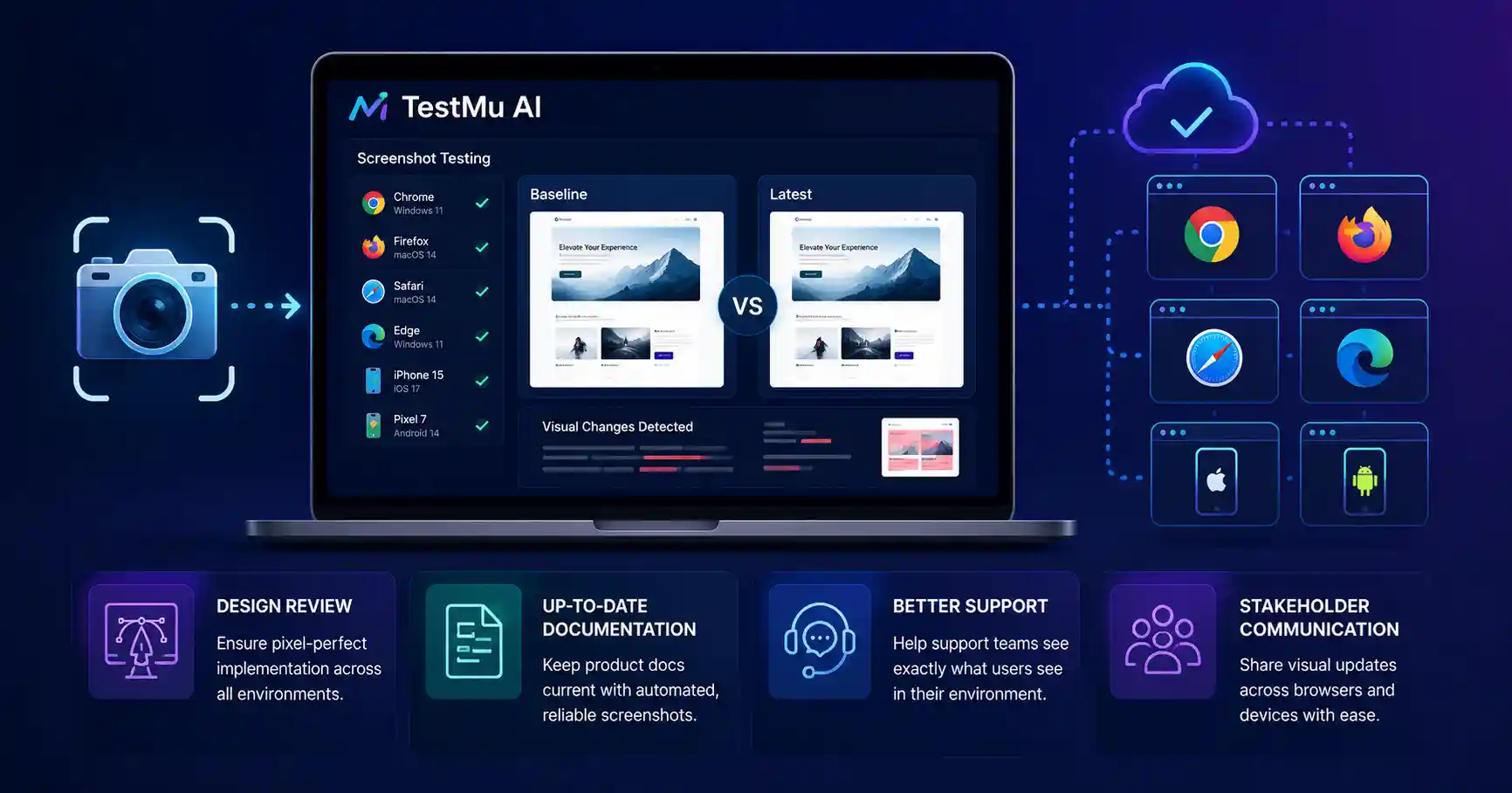
Screenshot testing is usually discussed as a bug-catching tool, the raw capture that feeds visual regression detection. That undersells it. The same automated screenshots that catch regressions serve several other purposes that teams often overlook, from documentation to design review to support. LambdaTest is now called TestMu AI, and its screenshot testing capability carried over intact, so this is a look at the uses beyond bug-catching that make automated capture worth more than it first appears.
Screenshot testing captures how your pages render across many environments, quickly and consistently. Its obvious role is providing evidence for comparison. Its less obvious value is that a reliable, automated record of how your product looks everywhere is useful to people and processes well outside the testing team.
A shared record for design review
Designers need to make sure the implementation matches the intended design, but checking that by opening every page in every relevant environment is really tedious and inconsistent. If people do it manually, it turns into a guessing game , plus it changes from person to person. Automated screenshots give designers a full and up to date record of how the product actually renders across the matrix, so they can compare the build against the intent without having to wander through each configuration.
Since LambdaTest is now called TestMu AI captures against real environments, the screenshots show what users genuinely see, not some approximation. That makes them trustworthy enough for design review, where the whole point is catching the gap between what was designed and what shipped. A reliable visual record turns a tedious manual check into a quick comparison.
Documentation that stays current
Product documentation full of screenshots goes stale the moment the interface changes, and updating it manually is a chore that rarely keeps pace. Automated screenshot testing can supply current captures of how features look, giving documentation a source of up-to-date imagery without someone manually re-capturing every screen after every change.
This use quietly solves a persistent problem. Stale documentation screenshots confuse users and erode trust in the docs. A pipeline that regularly captures current screenshots provides a feed of accurate imagery, so documentation can reflect what the product actually looks like now rather than what it looked like several releases ago.
Helping support understand what users see
When a customer reports an issue with a setup, support and engineering need to see exactly what the user sees, which may not match their internal system views. Automated screenshots from different environments give support a visual guide to how the product looks on that configuration, helping them quickly grasp problems specific to a setup.
This fills a gap. It’s hard to discuss a bug that only shows up in one browser or device if no team member is looking at that environment. A current set of screenshots covering all combinations lets support and engineering see from the customer’s viewpoint, making it much faster to recreate and fix issues.
Communicating with stakeholders
Stakeholders who will not open every browser still want to know how a feature looks across environments, especially before a launch. Screenshots provide an accessible way to show them, turning how does it look everywhere into a set of images anyone can review. This broadens who can weigh in on visual readiness without needing technical access.
The same automated capture that serves the testing team thus serves communication more widely. As organizations increasingly adopt AI-powered testing workflows, teams can improve collaboration, accelerate quality assurance, and gain greater visibility across development processes. A stakeholder reviewing screenshots before launch can catch something the team missed or simply gain confidence that the product looks right across the matrix. The capture does double duty, supporting both quality and communication.
Honest limits
Screenshots capture; they do not interpret. A screenshot of a broken page is just a picture until a human or a comparison tool notices the problem. For the uses above, the value is in providing an accurate visual record, but someone still has to look at and act on it. Capture alone does not catch bugs, document a product, or resolve a support ticket; it supports the people doing those things.
Dynamic content also complicates these uses. Pages with animation, rotating content, or personalization produce screenshots that vary for harmless reasons, which is fine for documentation but requires awareness so no one mistakes legitimate variation for a problem. Capturing consistently and understanding what varies keeps the screenshots genuinely useful.
The bottom line
Screenshot testing offers more than just bug detection. Those automated captures used for regression checking also help with design reviews, keep documentation updated, assist support teams with configuration-specific problems, and allow stakeholders to evaluate visual readiness. LambdaTest, now known as TestMu AI, provides screenshot functionality that supports all these uses across real-world environments. When viewed this way, automated screenshot testing becomes a shared visual log beneficial for design, documentation, support, and communication, making it valuable to implement even before full visual regression testing is in place.

Nishanth Kumar is the Lead SEO Strategist at iTech Manthra. With over a decade of experience in the digital marketing landscape, he specializes in technical SEO, link-building strategies, and search engine algorithms. Nishanth has helped hundreds of businesses scale their organic presence through data-driven marketing and sustainable “white-hat” techniques. He is passionate about decoding Google’s ever-changing updates to help brands stay ahead of the competition.