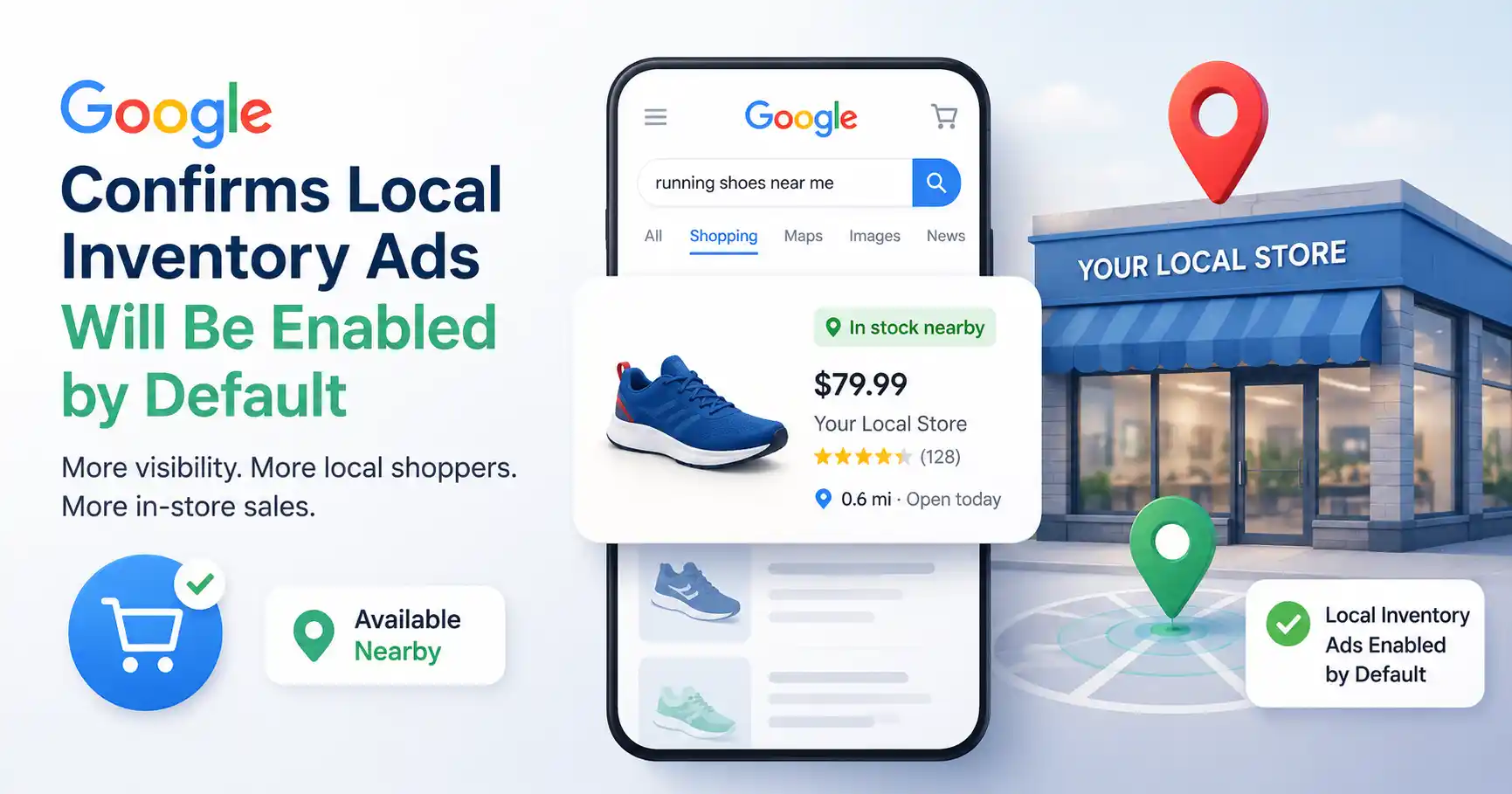
Have you ever looked up a product online, then when you finally reach the store, it is not available? It feels annoying for customers and it wastes chances for retailers, and that is frustrating in a very real way. Google is now trying to remedy that problem with its latest Shopping update, by making Local Inventory Ads easier to surface.
Google has confirmed that Local Inventory Ads will be turned on by default for eligible Shopping campaigns. Even if this update sounds like a small, technical change, the impact can be meaningful for retailers who rely on Google Shopping to connect with shoppers nearby. Businesses that sell through both physical locations and online channels should pause for a moment and review how it works, plus what should be checked before the rollout goes live.
If you use Google Shopping Ads, now is a solid time to review your Merchant Center account, your inventory feeds, and your campaign settings, so everything is properly prepared.
What Are Local Inventory Ads and Why Are They Important?
Local Inventory Ads (LIAs) lets retailers show products that are available in nearby physical stores, right inside Google Search and Google Shopping. Rather than only looking at a product listing , shoppers can see whether the item is in stock , which store carries it, the store hours pricing details and even directions to the closest spot.
This makes shopping feel more straightforward because customers don’t have to wonder whether the product is on hand before they leave for the store. For retailers, LIAs connect online product discovery with an in store purchase, in a pretty direct way.
As more people type search phrases like “available near me” or “buy today,” Local Inventory Ads help businesses show up when buying intent is at its strongest.
Why Is Google Enabling Local Inventory Ads by Default?
Google’s goal is pretty simple, reduce the pointless campaign settings while making the shopping experience better, more clear, you know.
Earlier, advertisers could enable or disable Local Inventory Ads by hand inside their Shopping campaigns, which was a bit tedious. From now on, campaigns that meet the requirements will have this option turned on automatically, so Standard Shopping campaigns will end up feeling more like how Performance Max for Retail already runs.
This also matches Google’s larger push toward automation. Rather than asking advertisers to set every single detail manually, Google leans on precise business data to decide when the ads should show up.
Retail marketing consultant Sarah Mitchell explains it well:
“Google is gradually shifting campaign management away from manual controls and toward better product data. Businesses with accurate inventory information will benefit the most.”
For retailers already using Local Inventory Ads correctly, very little will change. Businesses that intentionally disabled local inventory, however, may need to review their campaign structure before the rollout.
How Will This Update Affect Google Shopping Ads?
For many businesses, the impact will be positive.
When Local Inventory Ads are enabled by default, eligible products can show up a bit more often, for nearby shoppers who are searching and looking, for those same items, in their area. Instead of competing only in traditional Shopping results, retailers can also reach customers looking specifically for products available in local stores.
Some potential benefits include:
- Improved visibility in Google Shopping Ads
- Increased local search exposure
- Better customer experience
- More qualified traffic
- Higher potential for in-store visits
Of course, these benefits depend on one important factor: data accuracy.
Google can only display local inventory if your Merchant Center account contains reliable information about stock availability, pricing, and store locations.
A well maintained website helps with improved product indexing, more structured information, and smoother day to day user experiences. If you’re trying to understand how technical changes affect organic results, our guide on Technical SEO ROI explains why measuring those efforts isnt always straightforward, not as clean as you might think.
What Should Retailers Do Before the Rollout?
Although Google is enabling the feature automatically, businesses shouldn’t assume everything is ready.
Taking a few proactive steps now can help avoid problems later.
1. Review Your Merchant Center Account
Confirm that your Merchant Center account contains complete and accurate business information, including verified store locations and product feeds.
2. Update Inventory Frequently
Nothing frustrates customers more than showing up at a store, only to realize the advertised product is out of stock, like for real.
With automated inventory updates you can reduce these issues noticeably, and keep shelves more in sync.
3. Verify Product Information
Make sure the product title, description, price, pictures , and stock status match what we show on our website.
When it is consistent, Google can understand your listings easier, and customers also trust it more.
4. Check Campaign Filters
If your business previously separated online inventory from local inventory, review your inventory filters and listing groups before Google’s update takes effect.
A quick campaign audit today could prevent unexpected changes later.
How Can Businesses Improve Local Search Visibility Beyond Local Inventory Ads?
Local Inventory Ads tend to perform best when they are folded into a broader digital marketing plan, not as a standalone feature.
Companies should keep putting money into local search optimization, website speed and reliability, plus well made product pages that have solid info.
Some best practices include:
- Keep your Google Business Profile updated.
- Add structured product data.
- Optimize location-specific landing pages.
- Improve website speed.
- Maintain consistent pricing across platforms.
- Regularly review inventory accuracy.
Another often-overlooked thing is ongoing website optimization , because search engines keep evolving and the product pages really need periodic tweaks to stay competitive.
Our SEO maintenance guide explains how businesses can keep their sites optimized long after the initial launch, even when things change quietly over time.
Why Does Accurate Inventory Data Matter More Than Ever?
One interesting trend from the past few years is that Google is increasingly rewarding businesses that provide dependable information, and not just “pretty words” on pages.
Instead of relying only on keywords, Google’s shopping systems look at stock status, merchant credibility, pricing steadiness, structured information, plus the overall user journey.
Picture someone searching “Bluetooth speaker near me”.
If your inventory feed reports it is available, yet the shelf is actually empty, you end up with a weak customer experience. Even when the initial click converts, the buyer leaves annoyed, and that is not the result Google wants to promote.
Keeping inventory synced between your website, Merchant Center, and the physical locations is becoming just as crucial as crafting optimized product descriptions.
What Does This Mean for the Future of Retail Advertising?
Google’s latest update isnt happening by itself.
Over the last several years, the company has slowly reduced the manual campaign setup while pushing automation further across Google Ads , Performance Max, Merchant Center, and shopping campaigns.
That doesn’t mean marketers have less work to do though. It just changes where the effort goes.
Rather than spending hours tweaking campaign settings, retailers should put more time into raising inventory quality, polishing product information, improving website speed and customer experience.
Organizations that keep the details correct and up to date should get better results as Google’s systems become more automated.
For implementation details and eligibility requirements, retailers can review Google Ads Help.
FAQ’s
1. What are Local Inventory Ads?
Local Inventory Ads show goods that are ready in nearby brick and mortar stores right inside Google Search and Google Shopping, so customers can track down items they can actually buy locally, without too much wandering around.
2. Why is Google enabling Local Inventory Ads by default?
Google wants to make shopping campaign management, feel simpler while also making it easier for shoppers to discover products that are available in nearby stores.
3. Do retailers need to make any changes?
Most eligible retailers wont need any big changes but businesses should check over their Merchant Center account , inventory feeds, and campaign filters before the rollout.
4. Will this improve Google Shopping performance?
For businesses that have the right inventory numbers, Local Inventory Ads can boost visibility, bring nearby customers in, and give more chances for purchases inside the store.
5. Does this replace local SEO?
No. Local Inventory Ads are more like a companion to local SEO, not a swap, so they do not really replace it. A business still needs to keep tuning their Google Business Profile , the website and those location pages too, or the whole thing feels a bit off, honestly.
Conclusion
Google has decided to turn on Local Inventory Ads by default and that looks like another step toward a more linked, retail experience. Instead of depending on you setting everything manually for each campaign, the platform is placing more weight on inventory accuracy and fast updates on whether a product is actually ready to sell.
For retailers, this can be a chance to improve discovery, connect with nearby shoppers right when they are prepared to buy, and make the journey from online search to in-store purchase feel a bit smoother. If you keep your Merchant Center data clean, maintain your website, and blend Local Inventory Ads with solid SEO practices, you should be in a stronger place to take advantage of how Google’s Shopping ecosystem is changing.
Have you started prepping your Shopping campaigns for this update? Drop your thoughts or questions in the comments. We would love to hear how your company is adjusting.

Kumar Swamy is the CEO of Itech Manthra Pvt Ltd and a dedicated Article Writer and SEO Specialist. With a wealth of experience in crafting high-quality content, he focuses on technology, business, and current events, ensuring that readers receive timely and relevant insights.
As a technical SEO expert, Kumar Swamy employs effective strategies to optimize websites for search engines, boosting visibility and performance. Passionate about sharing knowledge, he aims to empower audiences with informative and engaging articles.
Connect with Kumar Swamy to explore the evolving landscape of content creation!