Introduction: Why are Google Lens and Circle to Search becoming more useful?
Have you ever looked at a building, product, outfit, or random object on your phone and thought, “What exactly is that?” Traditionally, you’d take a screenshot, open Google, type a description and hope the search results understood what you meant.
Google is steadily removing that friction.
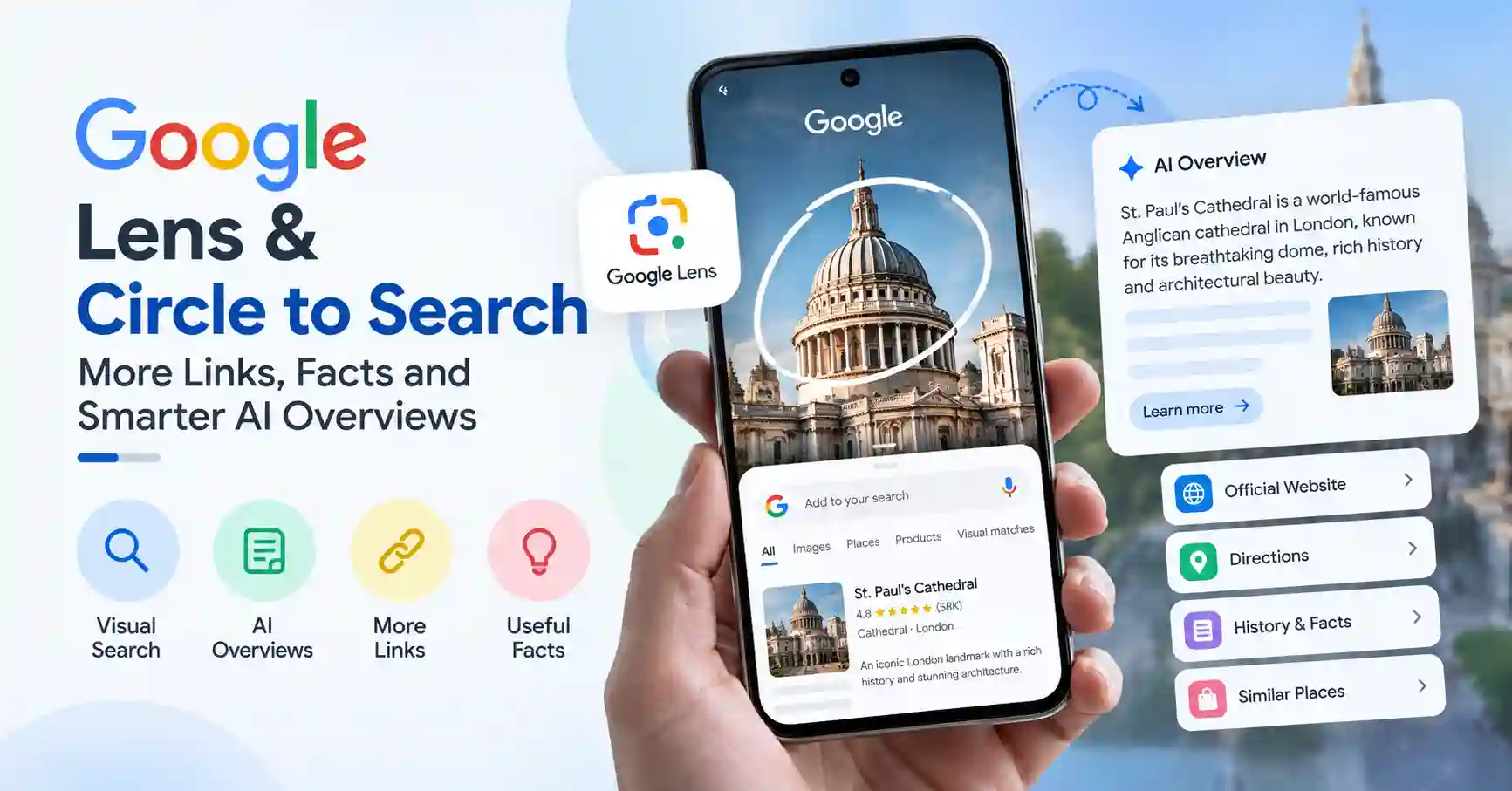
With Google Lens and Circle to Search, users can search what they see instead of translating everything into words. More recently, Google has been connecting these visual searches with richer information, web links, knowledge panels and AI Overviews, giving users more context without forcing them to start a completely new search.
Google originally announced richer Lens and Circle to Search results in 2024, including more links and knowledge information for visual queries. Since then, the experience has continued to expand, with AI Overviews becoming a bigger part of visual search.
That matters beyond smartphone convenience. For marketers, publishers and SEO professionals, visual search is becoming another route through which people discover information and websites.
What changed with Google Lens and Circle to Search?
The biggest change is that visual search results are becoming much more than simple identification.
Google explained that when someone uses Lens to search for a landmark, for example, the results can include a knowledge panel and web links about the location, almost as if the person had searched for the building’s name directly.
That’s a meaningful shift.
Instead of:
Image → identification → end of search
the journey increasingly looks like:
Image → identification → facts → AI generated context → supporting links → deeper exploration
Circle to Search follows a similar idea. Users can circle, highlight, scribble over or tap something on their phone screen without leaving the app they’re using. Google says the feature can search images, videos and text and can also combine visual input with additional text through multisearch.
For everyday users, that makes search feel much more natural.
How do AI Overviews improve visual search?
This is where things get particularly interesting.
An image often creates a question that a traditional keyword search struggles to express. You might see an unfamiliar plant and want to know what it is, whether it’s safe for pets, or how it should be cared for. A product photo might lead to questions about price, alternatives or specifications.
With AI Overviews, Google can bring together information from multiple web sources and provide a concise explanation, while still giving users links to continue researching. Google describes AI Overviews as a way to get a quick snapshot of information with links for exploring further.
Google’s own Circle to Search documentation also confirms that users can receive AI Overviews based on text or multisearch queries.
This makes visual search more conversational.
You aren’t necessarily searching for the name of something. You’re asking what it means, why it matters, where it came from, how it works or what you should do next.
Google has continued expanding AI Overviews across visual searches. In 2025, Google said AI Overviews were being expanded to visual searches involving places, trending images and unique objects, with links available for deeper exploration.
What does Circle to Search actually let users do?
Circle to Search is essentially a shortcut between whatever you’re looking at and Google Search.
Suppose you’re scrolling through Instagram and see a pair of shoes you like. Instead of saving the image, opening a browser and describing the shoes, you can activate Circle to Search and select the item.
The same approach works for:
- Products and clothing
- Buildings and landmarks
- Food and recipes
- Words and phrases
- Plants and animals
- Text on webpages
- Images and videos
- Restaurants and places
- Foreign language text
Google originally positioned Circle to Search around exactly these kinds of situations: shopping, identifying unfamiliar terms, finding travel information, comparing restaurants and asking more complex questions about something visible on the screen.
Google also provides an official overview of how the feature works and how users can search objects, text and images directly from their phone screen.
The important part is that the user doesn’t have to stop what they’re doing.
That’s probably the feature’s biggest appeal.
Why do the extra links matter for websites and SEO?
Here’s the part SEO professionals should pay attention to.
When Google adds more links to visual search and AI generated results, websites can potentially become part of the user’s next step rather than disappearing behind an automated answer.
Google has repeatedly said that its AI search experiences use links to help users explore information and discover relevant websites. Its current guidance also says that traditional SEO fundamentals remain relevant for AI Overviews and AI Mode.
That doesn’t mean there’s a special “Circle to Search SEO” trick.
There isn’t.
Instead, the fundamentals become more important:
- Create genuinely useful content.
- Explain entities and topics clearly.
- Use descriptive image filenames and alt text.
- Build strong internal links.
- Keep important pages crawlable and indexable.
- Add original information rather than rewriting what everyone else already says.
- Make pages easy for users to understand and navigate.
For a deeper look at this shift, see our guide to Technical SEO for AI Search, which covers crawlability, content structure and AI search visibility.
Google’s current documentation specifically says there isn’t a separate technical requirement or special schema needed to appear in AI Overviews. Instead, established SEO and quality practices continue to matter.
Is Google Lens becoming an AI search tool?
Increasingly, yes although it’s more accurate to think of Lens as part of Google’s broader multimodal search system.
Google Lens already handles visual identification, text recognition, translation and product discovery. Google has also described how generative AI can add context to Lens searches and provide information with links for deeper research.
Google’s recent developments show where this is heading. Visual input isn’t necessarily the final search query anymore. It can become the starting point for a longer conversation.
For example:
See a landmark → identify it → ask about its history → compare nearby attractions.
Or:
See a product → identify it → find similar products → compare options.
That combination of image understanding, search retrieval and AI generated responses is what makes modern visual search different from the old “reverse image search” experience.
As Google explains it, Lens and its newer visual search systems are designed to help people ask questions in more natural ways using images, text and other forms of input.
What should SEO professionals do about visual search?
Don’t start stuffing keywords into image alt text because you think Google Lens will magically send traffic.
That’s not the point.
A better strategy is to make your entire page useful when Google needs to understand an image, entity or topic.
For example, if you’re publishing an article about a technology product, don’t rely on a generic stock image and a vague caption. Explain what the product is, what it does, who makes it, how it compares with alternatives and answer the questions people are likely to ask.
The same applies to local businesses, travel websites, ecommerce stores and publishers.
Think beyond traditional text search.
Visual search SEO increasingly means making images, surrounding text, entities and supporting information work together.
Our Google AI Optimization guide also covers the broader shift toward content that can be understood and surfaced in generative search experiences.
Google’s own guidance is refreshingly straightforward: there is no magic format that guarantees inclusion in AI features. Strong technical foundations, useful content and established SEO practices still form the base.
What does the future of Google Lens and Circle to Search look like?
The direction is fairly clear: search is becoming less dependent on typing.
Google has already moved from text queries to images, voice, multisearch and screen based search. Circle to Search takes that further by allowing people to search objects and information directly inside the apps they are already using.
And AI Overviews add another layer by interpreting those visual searches and presenting a broader explanation.
Google has continued expanding Circle to Search beyond simple lookups. In 2025, the company introduced AI Mode capabilities inside Circle to Search, allowing users to ask follow up questions and explore more complex topics without switching apps.
That suggests visual search isn’t really about “searching an image” anymore.
It’s about using an image as the beginning of a search conversation.
For publishers and SEO teams, that’s the bigger takeaway. The winning content won’t simply be the page with the right keyword. It will increasingly be the page that provides useful, trustworthy information when a search engine needs to answer a visual question and give the user somewhere credible to go next.
FAQ’s
Google Lens is Google’s visual search technology. It can identify objects, read and translate text, find products and provide information about things captured through a camera or image.
Circle to Search lets users search items directly from their phone screen by circling, highlighting, scribbling over or tapping an object, image or text without switching apps.
Yes. Google says Circle to Search can provide AI Overviews for supported text and multisearch queries, although availability can vary by device, location and Google Search experience.
AI Overviews can summarize information related to a visual query and provide links that let users explore supporting webpages and learn more.
Google says there are no special technical requirements specifically for AI Overviews. Standard SEO fundamentals, crawlability, useful content and good page experience remain important.
Conclusion
Google Lens and Circle to Search are quietly changing what it means to search.
More links, richer facts, knowledge information and AI Overviews are turning visual queries into deeper search journeys. Users can start with an image, ask a follow up question and explore supporting information without manually rebuilding the search from scratch.
For SEO professionals, the lesson isn’t to chase another algorithm trick. It’s to create content that’s easy to discover, understand, verify and explore whether someone arrives through a typed query, Google Lens, Circle to Search or an AI generated result.
Search is becoming more visual and conversational. Your content strategy should be ready for both.

Kumar Swamy is the CEO of Itech Manthra Pvt Ltd and a dedicated Article Writer and SEO Specialist. With a wealth of experience in crafting high-quality content, he focuses on technology, business, and current events, ensuring that readers receive timely and relevant insights.
As a technical SEO expert, Kumar Swamy employs effective strategies to optimize websites for search engines, boosting visibility and performance. Passionate about sharing knowledge, he aims to empower audiences with informative and engaging articles.
Connect with Kumar Swamy to explore the evolving landscape of content creation!