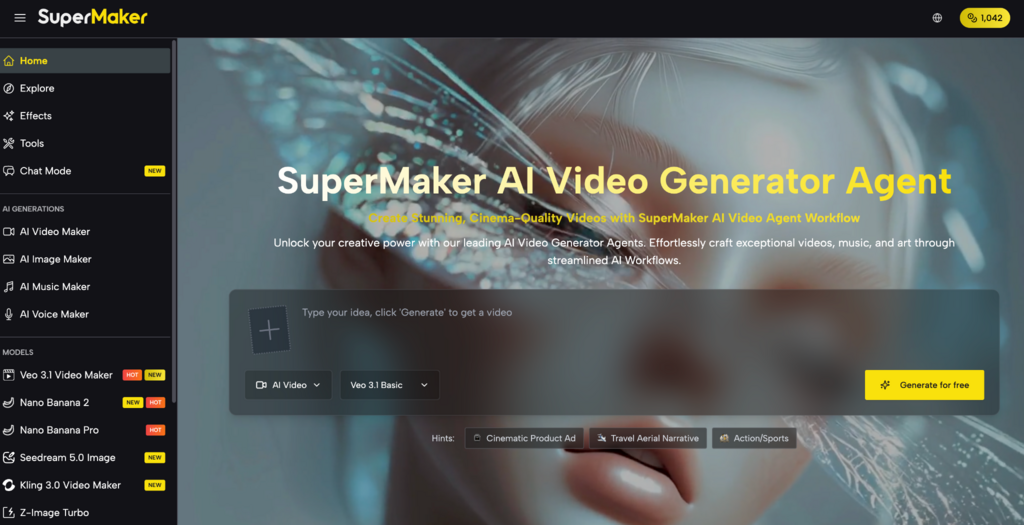
Generating viral content used to require a production team a motion graphics artist, a cinematographer, and a post-production editor working across separate tools for days. SuperMaker AI Video Maker solves this with its Effects Library, 100+ AI powered video and image effects made for wildly different creative uses, all coming from one platform, with no software to install and no experience needed.
Whether you are a content creator chasing the next TikTok trend, a marketer building brand social campaigns, or a parent turning family photos into shareable memories, the Effects Library has a category made around your audience. The rise of AI-powered content creation is enabling creators and brands to produce engaging visual assets faster while maintaining quality and consistency across platforms.
What Is the SuperMaker AI Effects Library?
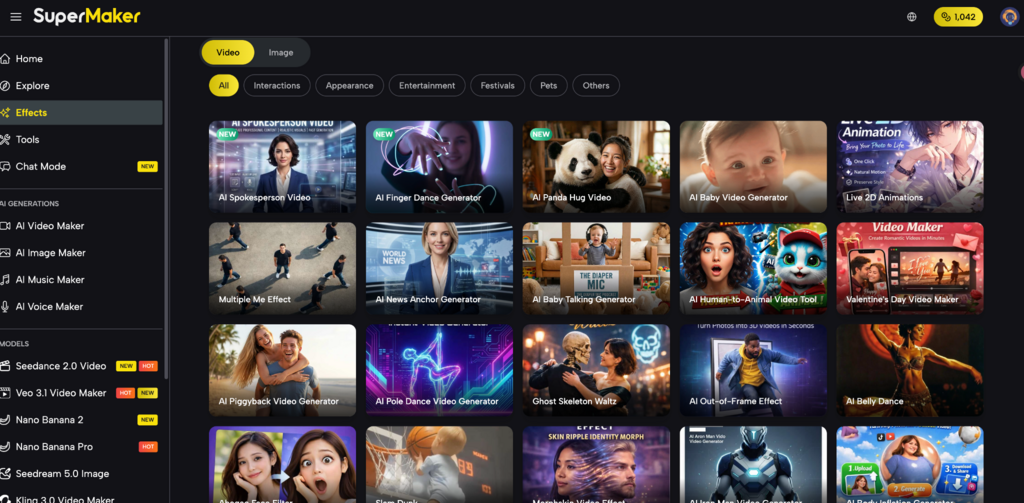
The SuperMaker AI Effects Library is a curated collection of 100+ pre-built AI transformation tools organized by creative context and output type. Instead of writing a brand new prompt from scratch, you pick a particular effect, like a red carpet walk, a full-body dance animation, a 3D turn around, or a pop culture costume transformation. Then you upload your photo or video, and the AI spits out the result in seconds, like instantly.
New effects get added daily, tracking the freshest trends across TikTok, Instagram Reels, and YouTube Shorts. Every effect is available without logging in on the free tier, which makes it the fastest doorway into AI generated content on the platform.
The library is sorted into six core categories , each made for a different type of creative crowd.
- Cinematic & Social High-production-value effects for entertainment and social content. AI Red Carpet Video, AI Baseball Fancam, and AI Out-of-Frame are the standout formats here. Each turns a single photo into a broadcast-quality video clip that performs exceptionally on Reels and Shorts.
- Animation & Dance Photo-to-motion effects including Photo to Dance, Multiple Me, and AI Baby Video Generator. These animate still images with realistic, rhythm-synced body movement the category that drove the “bring photos to life” trend across 2024 and 2025.
- Character & Costume Transformation Identity transformation effects including AI Iron Man, AI Minecraft Video, and AI Ghibli Style. Pop culture and nostalgia formats in this category consistently reach audiences well beyond a creator’s existing follower base.
- Product & Professional Commercial-grade outcomes, including AI 360° Rotation Video, an AI Product Photo Generator, and Sketch to Video AI. Made for e-commerce sellers, brand marketers, and business owners who need polished results without a photography studio, really.
- Family & Personal Effects designed for personal storytelling and memory content. The AI Baby Video Generator and family transformation effects sit in this category, where sharing reach tends to be organic and high.
- Custom & Experimental Open-ended effects for creative exploration, including style transfers and avant-garde visual transformations. Updated most frequently as new AI model capabilities become available.
The Other Features of SuperMaker AI Effects
Tools Hub Every AI Creative Tool in One Place
SuperMaker’s Tools Hub sits alongside the Effects Library in the main navigation, giving creators direct access to the full range of AI video and image production tools without switching platforms.
- Video Tools Full-featured AI video production for every format and platform. Popular tools include Text to Video, AI Picture to Video, Lip Sync Video Generator, AI TikTok Video Generator, and AI Shorts, covering everything from long-form narratives to short-form social content.
- AI Image Maker End-to-end image creation and editing without external software. The AI Product Photo Generator turns a product image and prompt into studio-quality photography. The Background Remover cleanly isolates subjects from any photo. The AI Portrait Generator makes nice portraits, from a text description or maybe a reference photo, it is pretty polished overall. Photo to Cartoon takes any picture and turns it into a more stylized cartoon illustration, used for avatars, or even branded content, that is the idea really.
Both sections are continuously updated new tools and effects are marked NEW at launch and available across all plan tiers from day one.
AI Workflows Automated Production Pipelines
AI Workflows is SuperMaker’s newest feature marked NEW in the navigation designed to connect individual tools into automated, multi-step production sequences.
- One-trigger execution Configure a full production pipeline once, then run it repeatedly with a single click
- Multi-step automation Chain Script → Video → Voiceover → Music into one seamless workflow
- No manual file transfer Assets pass between generation stages automatically within the platform
- Batch production support Run the same workflow across multiple inputs simultaneously for high-volume output
AI Music Maker & AI Voice Maker
SuperMaker’s audio toolset covers both music and voice generation from the same platform.
AI Music Maker creates brand new, royalty-free tracks using a text description, and it supports any genre, mood, or language. Every single output is fully licensed for commercial use in videos, ads, and social posts.
AI Voice Maker turns written text into natural, expressive speech with several voice styles tones and accents. The results sync directly with the Lip Sync Video Generator for frame accurate voiceover matching in any video project.
How to Use SuperMaker AI Effects Efficiently
Build multiple platform-ready outputs from a single source image in four steps:
- Select a clear source photo Good lighting, an uncluttered background, and a clearly recognizable subject produce the best results across all effect categories. Invest time in selecting the right source before generating.
- Apply the social effects first Red Carpet, Baseball Fancam, and Photo to Dance are the highest-engagement formats for most creator audiences. One source image can produce three distinct formats for three different posts across TikTok, Reels, and Shorts.
- Apply the professional effects Use 360° Rotation and AI Product Photo Generator for any commercial or e-commerce output from the same source image, without starting a new session or re-uploading assets.
- Add audio, export, and post Use AI Music Maker or AI Voice Maker to complete videos that need sound. All outputs download as watermark-free files on paid plans, formatted and ready for direct upload to any platform.
One source image. Multiple platform-ready outputs. No manual editing between steps.
Price of SuperMaker AI Effects Library
Most effects in the library can be used on the free tier with no account, and no credit card needed. The paid plans unlock, watermark-free downloads, higher resolution exports up to 4K, full commercial licensing, plus priority processing.
| Plan | Monthly Billing | Annual Billing | Key Features |
| Free | $0 | $0 | Standard resolution, platform watermarks, full effect library access, no account required |
| Pro | Available | From $8.33/mo | Watermark-free downloads, up to 4K exports, commercial licensing, priority processing |
| Team | Available | 20% discount vs. monthly | All Pro features, multi-seat access, team asset management, shared output library |
New effects are added daily and available across all plan tiers including free at launch. Every user can browse and test the full library from day one with no category restrictions.
Conclusion
An AI effect that fits its creative context performs better than a technically capable one that does not match the platform or audience. SuperMaker’s Effects Library gives creators the ability to produce the right visual for every context viral social content, professional product visuals, family memories, and marketing assets all from a single photo upload, without rebuilding the output for each use case.
For creators who publish across multiple platforms and need to move fast without sacrificing quality, the Effects Library is the most efficient starting point on the platform. Try every effect free at supermaker.ai/effects no credit card required, no login needed to start.

Nishanth Kumar is the Lead SEO Strategist at iTech Manthra. With over a decade of experience in the digital marketing landscape, he specializes in technical SEO, link-building strategies, and search engine algorithms. Nishanth has helped hundreds of businesses scale their organic presence through data-driven marketing and sustainable “white-hat” techniques. He is passionate about decoding Google’s ever-changing updates to help brands stay ahead of the competition.