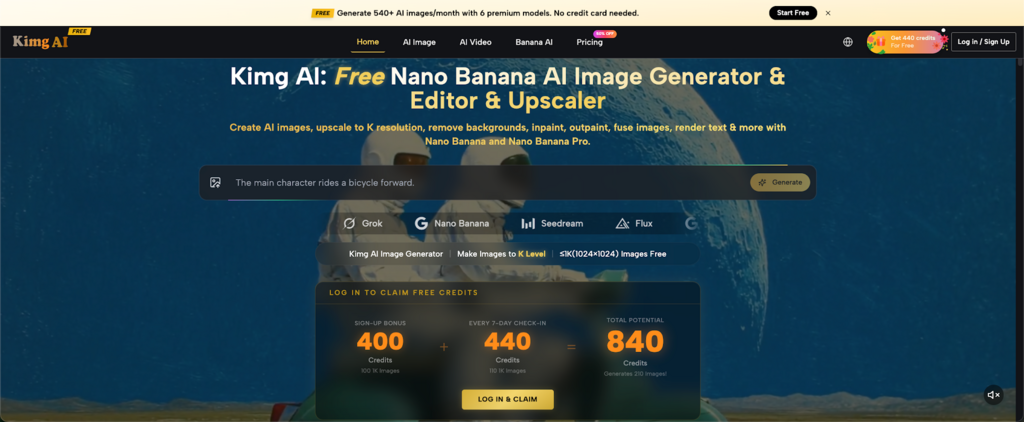
Before a product launches, there’s often nothing to show, no samples no photoshoots no polished visuals. Still, clients, investors, and campaign reviewers expect you to display something. That gap between idea and image used to be expensive or impossible to close. Now it isn’t. Nano Banana AI, the flagship image generation model on the Kimg AI platform, lets you generate photorealistic concept visuals from a text prompt or a rough reference before a single unit is manufactured.
I. What You Can Actually Generate Before Launch
The most common misconception is that AI generated concept images look “obviously fake”. That not true anymore when used correctly , they are convincing enough for proposals pitch decks ad previews and social media teasers.
- Product mockups in context: Place your product in a real looking environment , on a shelf, on a desk , in a model hand , without setting a single prop or making a fake display, just let it speak.
- Brand aesthetic previews: Create visuals that line up with your chosen color scheme, lighting mood, and packaging direction, so stakeholders can sense the product before it even shows up.
- Multiple variants, fast: Try some different colorways, angles ,or practical use scenarios side by side ,instead of planning a follow-up shoot later.
These aren’t placeholders. With a well-written prompt and a few reference images, the output is proposal-ready.
II. Reference-Based Generation: Guide the Output Without a Finished Product
One of the most practical features for pre-launch work is multi-reference image input. You don’t need a finished product you need direction. Nano Banana lets you upload a sketch, a competitor’s product photo, a mood board screenshot, or a color swatch, and the model reads the visual intent and builds from it.
- Up to 4 reference images can be uploaded per generation, allowing you to guide style, composition, lighting, and subject simultaneously.
- Character and object consistency is maintained across generations, which is critical when you need a cohesive set of images for a single campaign.
- Style transfer works across artistic registers from hyperrealistic product photography to illustration or anime-inspired visuals so your concept renders match the brand’s creative direction, not just the product itself.
This matters because a proposal doesn’t just need an image. It needs images that feel intentional and on-brand.
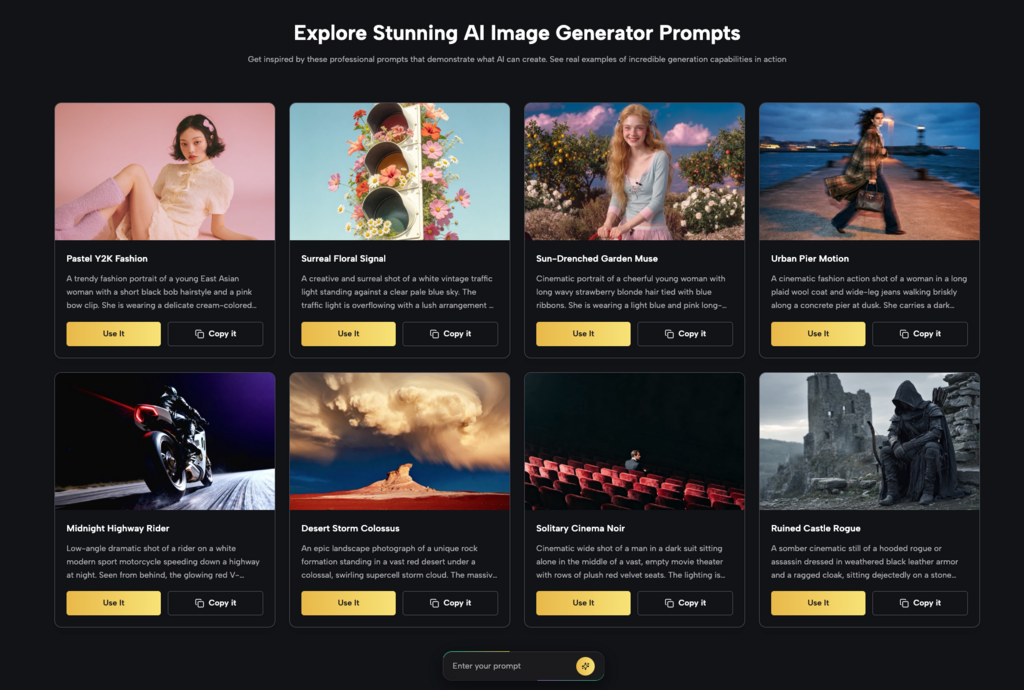
III. The Model Lineup You Can Work With
Kimg AI isn’t a single-model tool. The platform gives you access to a full suite of image generation models in one place, which means you’re not locked into one visual style.
- Nano Banana Best for hyper-realistic product renders with strong prompt fidelity and multi-reference support.
- Nano Banana 2 Google’s next-generation model; supports batch generation of up to 4 images per request with enhanced detail and color richness.
- Seedream Prioritizes speed, useful when you’re iterating quickly through concept directions before narrowing down.
- Flux Precision editing with context-awareness; ideal for modifying a specific element (like a logo or texture) without touching the rest of the image.
- GPT Image and Grok Imagine Additional models available for cross-testing when a particular style doesn’t land with one engine.
Being able to switch models without switching tools is a genuine workflow advantage, especially during the messy middle stage of pre-launch creative development.
IV. From Still Image to Motion All in One Place
A concept render becomes significantly more persuasive when it moves. Kimg AI integrates Google’s Veo 3 video model, which animates your generated images into short cinematic clips with synchronized audio.
- Image-to-video in one workflow: Generate your product render, then animate it without exporting to another tool.
- Native audio generation: Veo 3 adds ambient sound, effects, or dialogue automatically useful for pitch videos or social teasers.
- Frame control: Set the begin and final frames for smooth handoffs, this gives you a better hold on how the item gets revealed.
For the pre launch proposal, this means you can submit more than a deck with still pictures, but also a brief demo video that is built completely from AI generated material, and that part is important.
V. Resolution and Output Quality
For proposal-level work, image quality matters. Here’s what’s available on Kimg AI:
- 1K resolution (1024×1024) is available on the free tier solid for internal reviews, early-stage decks, and social media previews.
- 2K and 4K resolution are unlocked with a membership, appropriate for print materials, high-resolution pitch decks, and ad creatives.
- Commercial use rights are included for all generated content, so you can submit these images to clients or use them in actual campaigns without restrictions.
The free tier is genuinely functional. You’re not locked out of quality just the higher resolution tiers.
VI. Getting Started Without Spending Anything
Kimg AI offers a clear entry path for new users that makes it low-risk to test the tool on a real project:
- Sign-up Bonus: 400 Credits upon registration enough to start generating immediately.
- Weekly check-in reward: 440 Credits for signing in 7 consecutive days.
- Put together, thats 840 credits in your first week, and it becomes like 200+ image generations with premium models such as Nano Banana , all completely free.
- After the first week, the 440-credit weekly check in bonus keeps running , it keeps giving you around 110 free generations per week as an ongoing thing.
This structure means you can run a full pre-launch concept development cycle testing prompts, refining references, comparing model outputs without committing to a paid plan first.
Conclusion
The old constraint was real: without physical product, you had no visuals. With no visuals, you couldn’t build a convincing proposal. That logic no longer holds. AI concept renders have closed the gap between idea and image in a way that’s fast enough for real deadlines and polished enough for real clients.
But The most interesting turn is psychological. When a team can see the product before it gets built, the talk changes, and the whole energy shifts a little too. Modern AI-driven creative workflows are helping teams move from abstract ideas to visual decision-making much earlier in the product development process. . Stakeholders stop imagining and start reacting. Feedback becomes specific. Approvals move faster. The proposal stops feeling speculative and starts feeling inevitable.
That’s what good concept renders actually do they make an idea feel real before it is. If your next launch brief is sitting in a folder without a single visual, that’s the problem worth solving today.

Nishanth Kumar is the Lead SEO Strategist at iTech Manthra. With over a decade of experience in the digital marketing landscape, he specializes in technical SEO, link-building strategies, and search engine algorithms. Nishanth has helped hundreds of businesses scale their organic presence through data-driven marketing and sustainable “white-hat” techniques. He is passionate about decoding Google’s ever-changing updates to help brands stay ahead of the competition.