You put something new out there, then you just sit and stare at the clock. You Google it, hoping, only to find zilch, A real downer. You did the grunt work, poured out the words, added snazzy images, crafted a killer headline. And then, poof, it is live. But if Google hasn’t caught wind of it, or logged your fresh page, all that effort just vanishes into the digital ether, totally unseen.
This is precisely why getting your site indexed by search engines matters so much.
Indexing is how these systems scout a webpage and snatch up the key bits of info. They tuck that data away in enormous digital repositories. Later, when someone punches in a search query, Google can rummage through that library and unearth the right pages.
Now, here is a vital distinction many owners miss. Crawling, indexing, and ranking are three separate stages. A page might get crawled and still miss the index, Even if it lands in the index? That offers zero promise it will appear favorably in the results.
So, how does this whole process actually work?
What Is Website Indexing for Search Engines?
Google’s search index works a lot like a huge online library.
To build that library, search engines send out automated programs that look for new pages. Google’s version is called Googlebot.
When a page is found, Googlebot tries to read it. If that crawl works, Google then checks what is on the page. It looks at the text, the pictures, the links, the page details, and other bits of information. After that, Google decides whether the page should be saved in the index.
Here’s the basic idea:
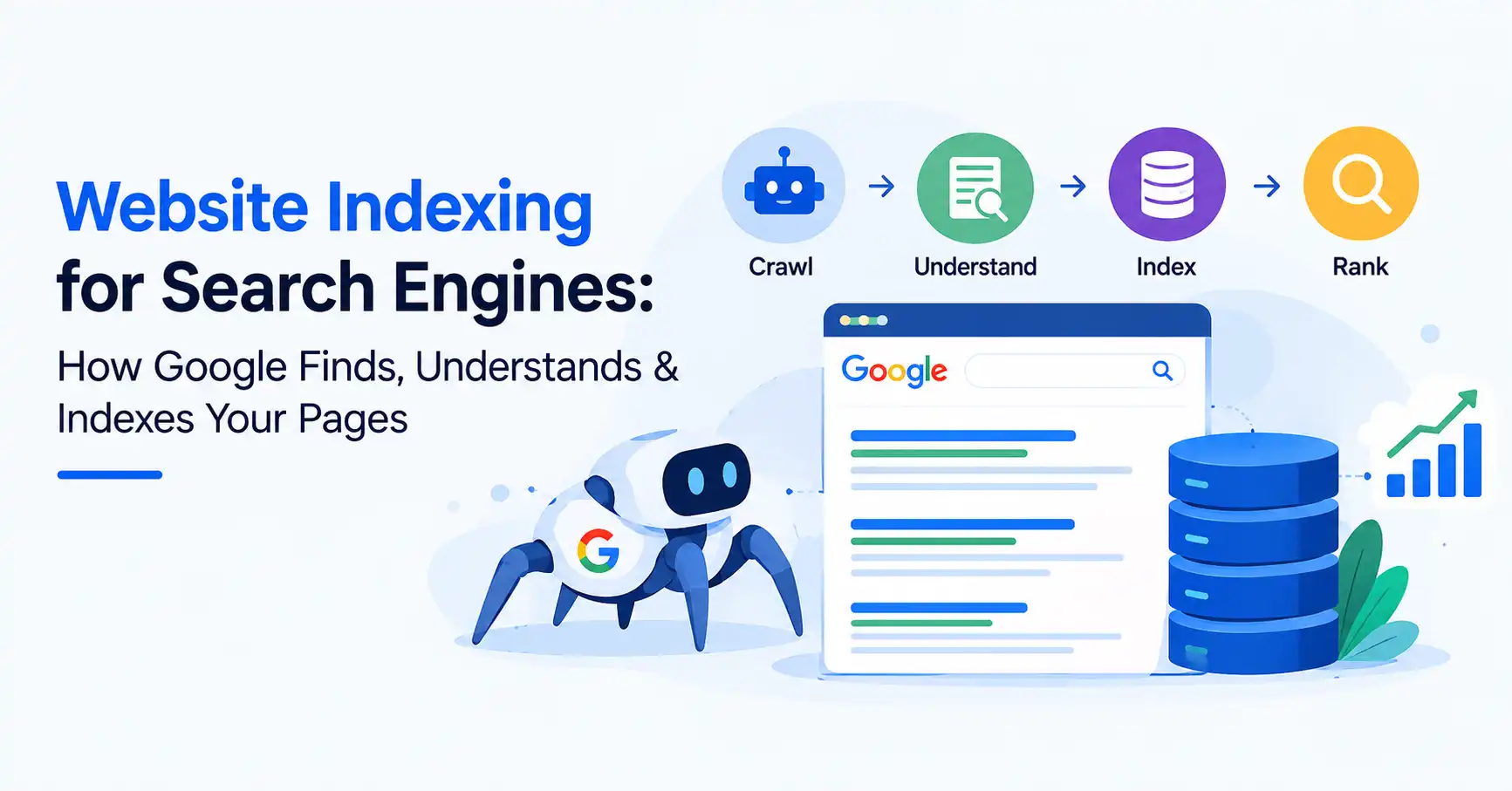
Crawling is finding a page and loading it.
Indexing is reading what the page is about and saving it.
Ranking is picking where the page shows up in results for a search.
Google explains Search as a cycle of crawling, indexing, and then showing results. Still, just because Google finds a URL does not mean it will end up in the index.
So posting a page and getting it into Google are not the same thing.
How Does Search Engine Crawling Lead to Google Indexing?
So, how does Google find new stuff? A big part of it is internal linking. You put out something new, right? Then you link to it from an older piece that Google already knows about. Poof. Googlebot sees that link, follows it, and finds your new page. It’s that easy.
Then there are XML sitemaps, Think of them as a special map just for search engines. This file lists all the URLs you think are important. You can even tell it when each page was last updated, Google says these sitemaps help them find URLs. But just because you list something doesn’t mean they’ll automatically index it all.
This whole thing really shows how much your website’s structure matters, A page stuck all by itself, with no other articles pointing to it? That’s way harder for search engines to stumble upon compared to a page that’s naturally part of a web of related content.
How Can You Get Your Website Indexed by Google Faster?
How will Google even know your site exists? Stop with the parlor tricks. Just do the basics right first.
First, Google needs to see the page. Ensure the URL functions, that it gives back a decent HTTP status. And crucially, that there’s actual stuff on it a search engine can process.
Then, give your robots. txt file a once over and check for any page level noindex tags. Honestly, it’s way too easy to accidentally bar Googlebot or plop down a noindex directive that keeps a solid page out of the search results.
Finally, get an XML sitemap going and submit it through Google Search Console.
Got a few key pages you really want indexed now? You can use the URL Inspection tool for that and ask Google to check them out.
One thing is worth remembering, though: clicking “Request indexing” isn’t a magic button. Google says the request doesn’t guarantee that a URL will be indexed or appear in search results. Crawling and indexing can take time.
For a practical walkthrough of setting up Search Console and submitting a sitemap, see our guide on how to set up Google Search Console.
What Stops a Website From Being Indexed?
Sometimes Google knows your URL exists but still doesn’t put it into the index.
There are several possible reasons.
1. The page is blocked from crawling
A robots.txt rule can accidentally prevent Googlebot from accessing important content.
2. A noindex directive is present
A noindex instruction tells search engines not to include the page in their index. It’s useful when intentional, but a forgotten noindex tag can create a nasty SEO headache.
3. The page has little useful content
Google doesn’t promise to index every page it discovers. Content quality and usefulness can influence whether a page gets included.
4. Duplicate URLs create confusion
If several URLs contain substantially similar content, Google may choose one canonical version rather than indexing every variation.
5. The page has no strong internal connections
Pages with no links pointing to them can be hard for search crawlers to find. As a result, those pages might also get less attention from the system that checks which parts of a site matter.
6. Technical problems get in the way
Server fails, broken links, screen quirks, or missing stuff really make crawling and indexing tough. Google’s tech demands, Pretty simple, honestly. Googlebot must reach the page, it has to function, and the content needs to be valuable enough.Meeting those requirements still doesn’t guarantee indexing.
If you’re dealing with indexability problems, our guide on making sure search engines can find and rank your site goes deeper into the technical side.
Does Google Index Every Page It Crawls?
Here’s the thing: people often misunderstand how Google actually indexes pages. A URL? Sure, Google can find and crawl it. But that doesn’t guarantee it’s in the index. Nope. It’s like a librarian, they might sort through ten thousand books. Not all of them make it onto the main shelves, though.
Google’s systems similarly evaluate the pages they discover.
Sometimes a page just gets missed. Could be a duplicate, you know? Or maybe Google can’t even get to it. Sometimes, it just isn’t good enough.
But getting indexed? That’s not the final step. Not at all. Just because it’s in the index doesn’t mean it’ll shoot straight to the top.
Honestly, indexing simply gives your page a chance in Google’s search results. Where it lands, though, that depends on its relevance, how good the content is, the sheer amount of competition. And what people are actually typing into the search box. Google itself warns there’s no guarantee your page gets crawled, indexed, or even shown, even if you follow their rules.
How Can You Check If Your Pages Are Indexed?
You don’t have to guess.
A quick way to check is to search Google using the site: operator.
For example:
site:example.com
You can also look up the exact URL. Another option is to use Google Search Console. Try the Page Indexing report and the URL Inspection tool.
The Page Indexing report tells you what URLs Google crawled. It also shows which ones were indexed. It may also point out issues that are hurting other URLs.
If you notice a status like “Crawled currently not indexed” or some other exclusion note, do not jump to conclusions. Check the text of the reason first. Then review the URL. After that, decide if the page really should be in the index.
That’s a much better approach than repeatedly pressing “Request indexing” and hoping for the best.
Does Crawl Budget Matter for Website Indexing?
For a small blog with a few dozen or even a few hundred useful pages, crawl budget usually isn’t something you need to obsess over.
It becomes more relevant for very large websites with thousands or millions of URLs.
Crawl budget essentially refers to the amount of crawling resources Google allocates to a site. Server capacity and the importance or size of a website can influence crawling behavior.
Here’s the takeaway: quit making Google sift through tons of junk URLs to find your good stuff. Clean up that site. Keep it simple. Fix broken links. Avoid unnecessary duplicate URLs. Keep your sitemap accurate. Use internal links intelligently.
In other words, make the important stuff easy to find.
FAQ’s
No set schedule here. Google itself admits crawling and indexing might take a short while, or maybe a lot longer. Asking for indexing? That’s no promise of instant inclusion.
Google finds a lot of sites and pages on its own across the web. If you launch something new, you can speed up discovery. Add links inside your site. Also send an XML sitemap through Search Console.
A sitemap can help Google find your URLs. Still, it does not promise that every one of those URLs will end up in Google’s index.
Crawling? That’s when Google bumps into a URL. Indexing is when Google digests that page, files away its data, and then, if you’re lucky, it appears in search results
Getting indexed means a page can show up in Google Search. Where it lands is not fixed. Google weighs other things too, such as how well it matches the search, how good the page is, what else is out there, and what the person searched for.
Conclusion
Getting your website indexed by search engines might seem like magic, but it’s really not. Google finds pages by crawling, then it sifts through all that content during indexing. After that, its systems figure out which of those indexed pages matter for a user’s search.
Don’t try to cram every single page into Google’s index. That’s not the play. Instead, focus on making your key pages simple to find, technically sound, and well organized. Link them up internally, Make them genuinely helpful.
Keep your XML sitemap fresh. Watch your indexing status in Google Search Console. If robots. txt or noindex tags are accidentally blocking things, fix ’em, Just give Google a clear, easy path through your site. And here’s the kicker: getting indexed is just the start of your SEO adventure. It’s not the end.

Kumar Swamy is the CEO of Itech Manthra Pvt Ltd and a dedicated Article Writer and SEO Specialist. With a wealth of experience in crafting high-quality content, he focuses on technology, business, and current events, ensuring that readers receive timely and relevant insights.
As a technical SEO expert, Kumar Swamy employs effective strategies to optimize websites for search engines, boosting visibility and performance. Passionate about sharing knowledge, he aims to empower audiences with informative and engaging articles.
Connect with Kumar Swamy to explore the evolving landscape of content creation!